Start Coding in Your Browser, No Setup Needed

Write your first working code in the browser in under 10 minutes. No downloads, no install, no terminal. The fastest honest way to find out if coding is for you.

3 lessonsAbout 8 minFree, no account needed

What you learn

  • Writing your first HTML
  • Using an online code editor
  • Previewing your own page

Lesson 1 of 3 · 3 min

Welcome: build 6 real projects in 6 days

Welcome to 6 Projects in 6 Days, the fastest, cleanest way to get your hands dirty with real coding, without a 300-hour bootcamp.

One hour a day. Each day gives you short lessons, a video walkthrough, and one small project you build yourself with HTML, CSS, JavaScript, Git, and AI. No coding experience needed.

Here is a taste of what you will build:
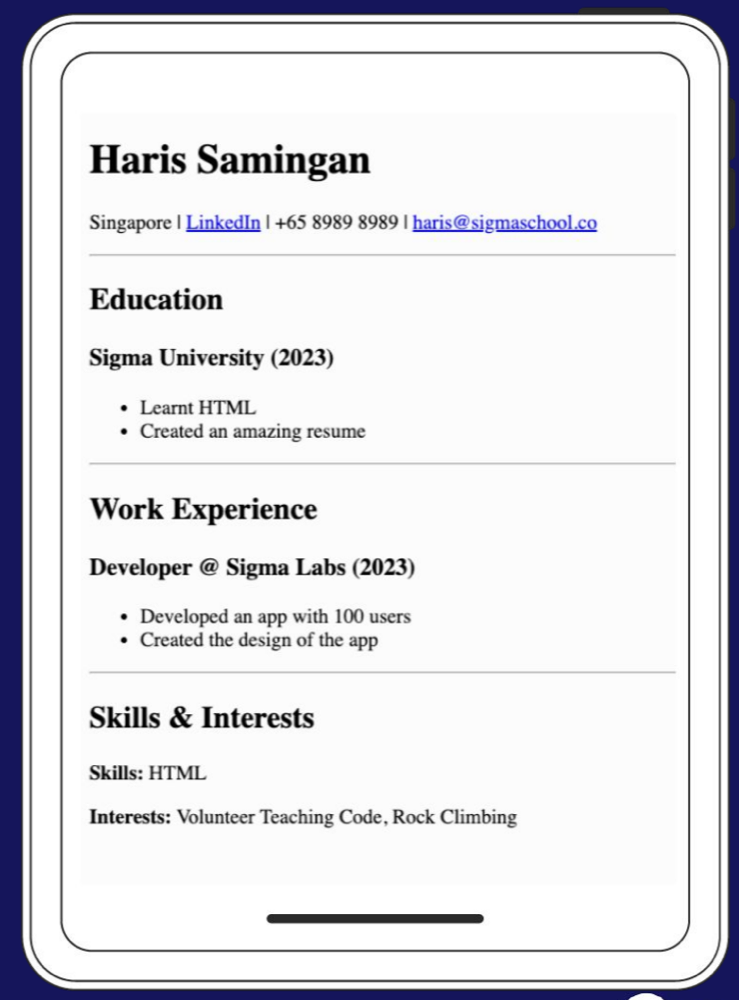
The resume website you build on Day 1
Day 1: a resume website
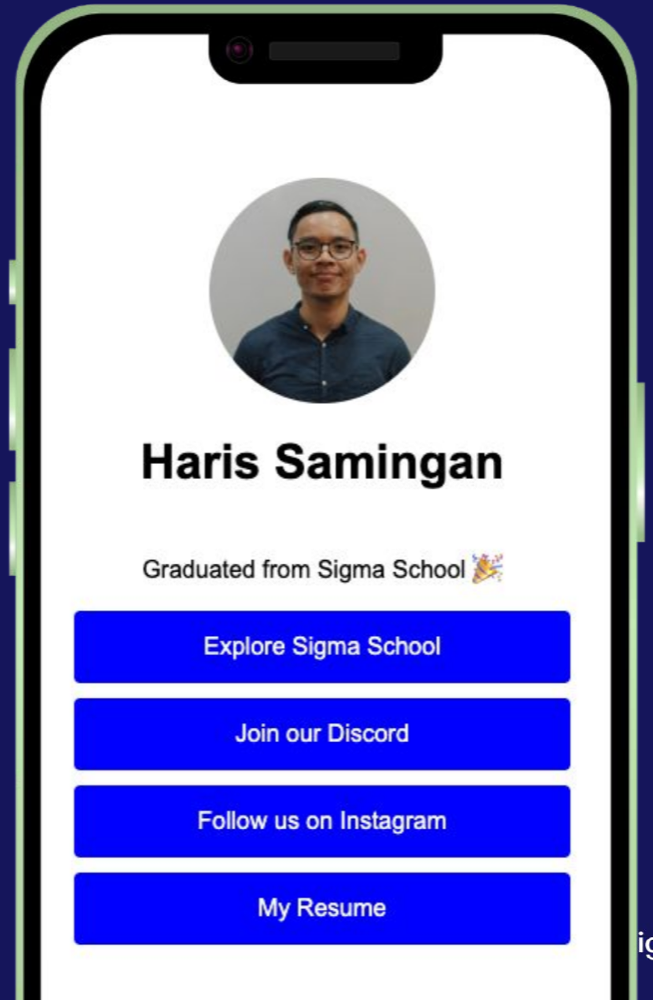
The link-in-bio page you build on Day 2
Day 2: a link-in-bio page
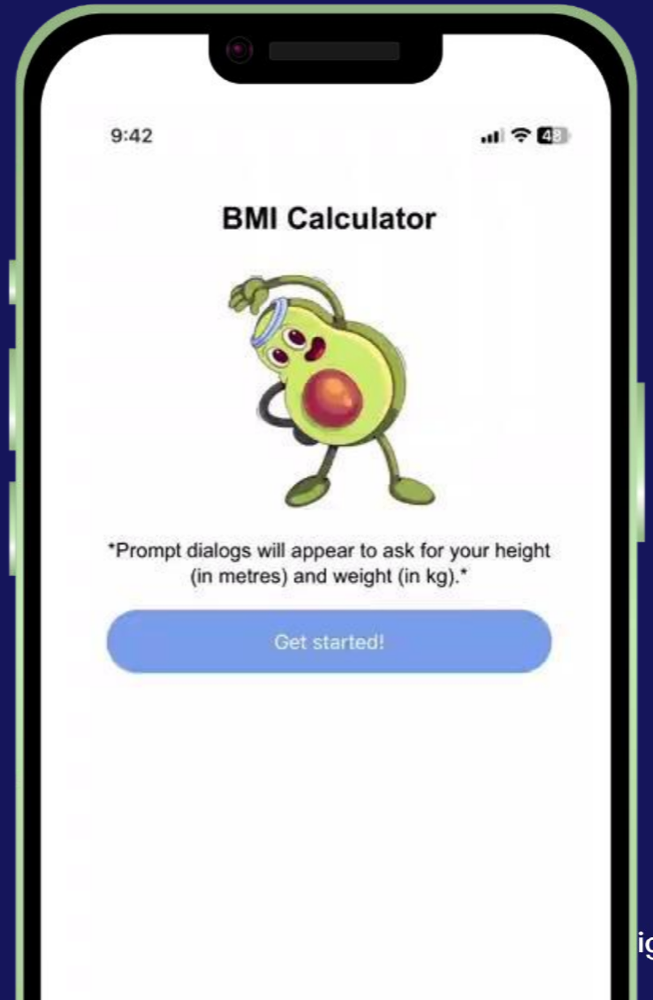
The BMI calculator you build on Days 3 and 4
Days 3–4: a BMI calculator

Then a quote generator, a quiz app, and a bonus AI-powered personality quiz you publish live on the internet.

Thousands of beginners have started here. The course carries a 4.9 average learner rating, and Sigmaschool has been featured in Vulcan Post. You are not the first beginner to start from zero.

One thing we are not

This is not a vibe coding school. Anyone can paste a prompt into AI and take whatever it spits out, and soon that will be worth exactly what it costs: nothing. We train AI-native builders: people who understand the fundamentals, know what their code is doing, and can direct AI with judgment instead of handing everything off to it. You will use AI all week, as a tutor, never as a ghostwriter. That difference is your career moat.

Two more short pages (the people teaching you, and your 6-day plan), then you are writing code. Or start right now:

Go slow. Go steady. Go deep. That is how you actually learn to code.

This lesson has 1 quiz in the portal, where you tick off each step and get feedback on the code you write. Do this lesson free.


Lesson 2 of 3 · 2 min

Meet your instructors

Real people teach this course, and you will see them in the walkthrough videos all week.

Amiel

Amiel

Instructor and student coach

Day 1 · Resume

Adam

Adam

Instructor and software developer

Days 2–6 walkthroughs

Safa Yousif

Safa Yousif

Software engineer and instructor

Bonus · Personality Quiz + AI

Deric Yee, founder of Sigmaschool

"We started Sigmaschool so no one has to spend years and a fortune on a degree just to land a job they don't love. Ship six real projects this week, that's the spark. Let's turn it into a career."

Deric Yee · Founder of Sigmaschool & Core builder of Sigmo.dev

One thing to know about saving your work

Your lesson progress saves to your Sigmo account automatically, so you can always continue where you stopped.

Your project code lives in your coding workspace (StackBlitz), not inside Sigmo. When a lesson opens StackBlitz, sign in so your projects appear in your StackBlitz dashboard. Later, GitHub becomes the permanent home for the projects you want in your portfolio.

This lesson has 1 quiz in the portal, where you tick off each step and get feedback on the code you write. Do this lesson free.

Lesson 3 of 3 · 3 min

Your 6-day plan

Here is your 6-Day Success Plan, one hour per day:

  • Day 1, Resume website: learn HTML, create links and text, understand how websites read HTML.
  • Day 2, Link in Bio: style with CSS, design buttons, add your profile picture for employers.
  • Day 3, Simple BMI calculator: data types, variables, and showing data.
  • Day 4, Better BMI calculator: user inputs and making the page interactive.
  • Day 5, Random quote generator: lists of data and showing quotes randomly.
  • Day 6, Quiz app: checking whether an answer is right or wrong.
  • Bonus, Personality Quiz + AI: call an AI from your app and publish it live with GitHub Pages.

Use this loop every day:

  1. See the finished project.
  2. Watch the walkthrough once for the map.
  3. Build it yourself, step by step.
  4. Test one input that was not in the example.
  5. Tick a task only after you did it.
  6. Explain one thing you learned.

Sigmo AI is your tutor, not your ghostwriter. Ask for simpler words, a small example, or the next debugging clue. Keep the building in your hands.

That is the whole briefing. Next lesson, you start building your resume website. Let's go. 🚀

This lesson has 1 quiz in the portal, where you tick off each step and get feedback on the code you write. Do this lesson free.

Reading it is step one. Doing it is the point.

Everything above is the full teaching content, free to read. The same lessons in Sigmo add 3 quizzes that mark themselves, 0 hands-on checklists, and an AI coding buddy that answers questions about the exact line you are stuck on. No card needed.

Do this course free

You just read it. Now go build it.

The free trial puts you inside Sigmo, the learning portal our students use every day, with the quizzes, the checklists and an AI buddy on every lesson. No card needed.